AI is no longer just a buzzword—it’s a designer’s secret weapon. In 2025, a growing number of AI-powered tools are reshaping how beginners approach UI/UX design. Instead of starting from scratch, you can now generate wireframes, test user flows, and refine prototypes with intelligent assistance. This article explores the top AI tools that beginners should try this year.
This guide focuses on design-specific tools, not general-purpose AI like ChatGPT or MidJourney.
Figma AI
Figma has integrated AI features directly into its design platform, making it easier than ever for beginners to start creating. With AI-driven suggestions, automated layout generation, and smart text recommendations, Figma AI reduces the time it takes to build polished prototypes.
Keyword: Figma AI for UI/UX
Uizard
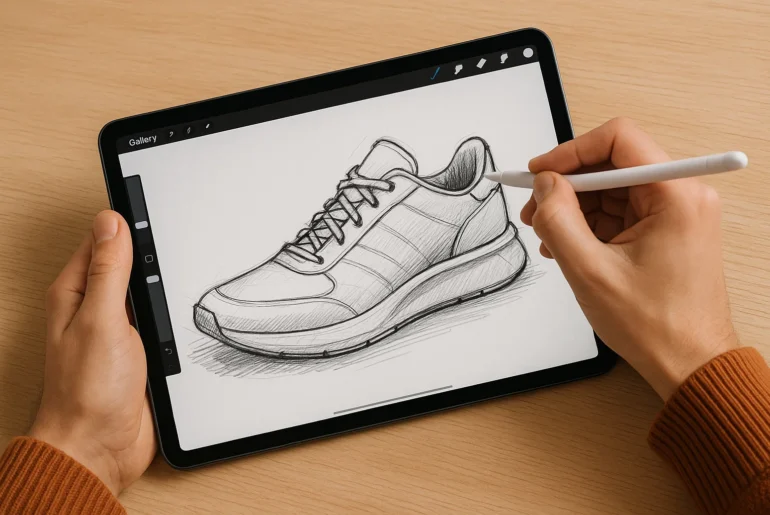
Uizard transforms simple sketches into fully functional wireframes in seconds. Perfect for beginners, this tool uses AI to interpret hand-drawn ideas and turn them into clickable prototypes. It’s ideal if you want to brainstorm fast without advanced technical knowledge.
Keyword: AI wireframing tool
Galileo AI
Galileo AI is one of the most exciting tools in 2025. You can describe what you want in plain language, and Galileo generates professional UI designs instantly. For beginners, this removes the steep learning curve often associated with design software.
Keyword: AI design generation
Framer AI
Framer has become a go-to tool for no-code web design, and its AI features elevate it further. Beginners can type prompts, and Framer AI will generate responsive websites instantly. It bridges the gap between design and development, making the process accessible.
Keyword: No-code AI design tool
Khroma
Choosing the right color palette can be overwhelming for beginners. Khroma uses AI to learn your preferences and generate endless palette combinations. This is perfect for creating visually cohesive designs without hours of trial and error.
Keyword: AI color palette generator
Attention Insight
Understanding user behavior is crucial in UI/UX, and Attention Insight uses AI-powered heatmaps to predict where users will focus on your design. Beginners can test and refine designs before investing in real user testing, saving both time and resources.
Keyword: AI heatmap tool
Runway
While primarily known for video and image editing, Runway has stepped into UI/UX workflows. With AI-powered background removal, image generation, and smart editing, it helps beginners create assets for their designs quickly.
Keyword: AI design assets
UserTesting AI
UserTesting now includes AI-driven insights that analyze user feedback at scale. Beginners can quickly see patterns in user behavior without manually reviewing hours of test recordings. This makes the research phase much less intimidating.
Keyword: AI usability testing
Canva AI
For those just starting, Canva’s AI features are a friendly entry point into design. With AI-powered text-to-image generation, automated layouts, and quick branding tools, Canva helps beginners create polished visuals without steep learning curves.
Keyword: Canva AI design
Designs.ai
Designs.ai is an all-in-one platform offering logo makers, video editors, and social media content generators. Its AI-driven interface makes it easy for beginners to experiment with branding and marketing assets alongside UI/UX projects.
Keyword: AI design platform
FAQs
Q1: Are AI design tools replacing UI/UX designers?
No, AI tools are assistants, not replacements. They speed up repetitive tasks but still rely on human creativity and critical thinking.
Q2: Which AI tool is best for complete beginners?
Uizard and Canva AI are the easiest entry points thanks to their intuitive interfaces.
Q3: Do I need design knowledge to use these tools?
Basic understanding helps, but many tools—like Galileo AI—work with natural language prompts, lowering the barrier to entry.